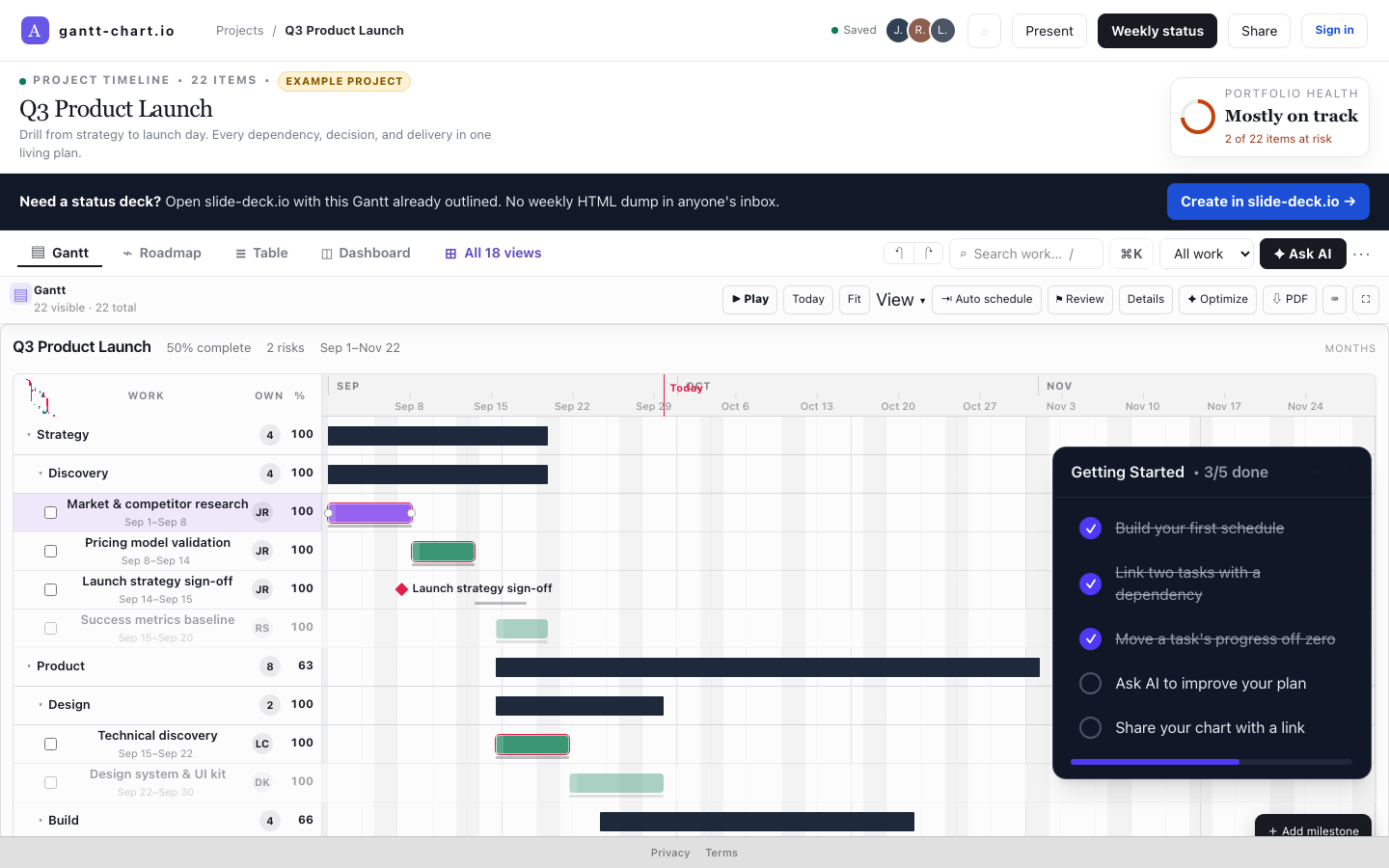
Critical path from dependencies
Paste → bars, no account. The red line is computed, not decorated.
Preparing your secure workspace…
Paste a list. Bars and a critical path appear from your dependencies. Your first plan saves free. Solo is $12/mo for unlimited projects and downloads. No card to start.
Paste → bars, no account. The red line is computed, not decorated.
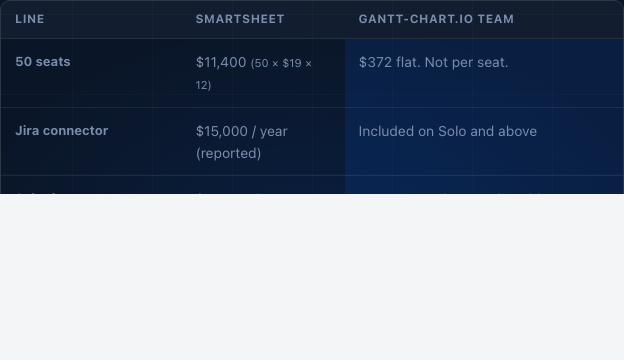
Share and embed links work logged out and last 30 days.
Free saves 1 project with no downloads. Solo is $12/month for unlimited projects and exports.
AI changes stay proposals until you tick them.
The same project data drives every view. Gantt, Kanban, Calendar, Network, Roadmap, Sankey — all stay in sync. What you change in one appears instantly in the others.
Humans approve every deadline. The schedule does not move until you say so.
Connect ClickUp, Trello, and GitHub. File import for Microsoft Project XML. The same data drives weekly status, quarterly reports, and Gantt, Timeline, Kanban, Calendar, and Dashboard views.
Connect an account or paste a link, pick a list or board, and import it as Gantt tasks. Jira, Notion, Asana, Linear, and Slack connectors are planned.
Drop a Microsoft Project XML. Binary OLE Project files are not parsed — save as XML first.
Trello, GitHub, and Microsoft Teams also connect from Account settings. After import, generate a weekly status deck or a 90-day quarterly report from the same plan.
The assistant opens with these six starting points. Attach files or paste raw data and it works from your evidence, not from a guess.
Describe your project. The assistant proposes a complete schedule with lanes, owners, and dependencies — all reviewable before anything is written.
Attach a Microsoft Project XML (File → Save As → XML). It maps tasks, milestones, and dependencies without asking you to retype.
Scans your plan for conflicts, critical-path gaps, and resource overloads — then proposes fixes that respect every dependency.
Compresses the timeline by finding parallelizable work, without silently breaking finish-to-start links to do it.
Strips the noise: baseline vs forecast, risk drill-down, owner accountability — rebuilt as a board-ready read in one command.
Every AI change arrives as a proposal you tick. Nothing is written to your schedule until you explicitly approve it line by line.
Governed by design. Every AI change arrives as a proposal you tick. Nothing is written to your schedule until you approve it — line by line, item by item. Files you attach are validated and treated as untrusted evidence.
Try it signed out. Sign in only to save or share a named project.
Free to start · No credit card · Paid plans from $12/month